
Pivot Builder
Create native Excel pivot tables, slicers, timelines and pivot charts by describing them in plain English, and edit ones already in your workbook.
Pivot Builder is an agent inside Chat that builds real Excel pivot objects: pivot tables, slicers, timelines and pivot charts. They aren't pictures or static summaries. You download a workbook, open it in Excel, and filter, refresh and rearrange them like any pivot table you'd build by hand.
What it can do
| Object | Examples |
|---|---|
| Pivot table | "Total Revenue by Region and Month", "Average order value by Customer Type" |
| Slicer | Clickable filter buttons for a field, which can drive several pivot tables at once |
| Timeline | A date-range filter, for date fields |
| Pivot chart | A chart bound to a pivot table, which updates with it |
| Calculated field | A measure from a formula, such as "Margin = Profit / Revenue" |
It can also change or delete these objects in a workbook that already has them, for example "switch the SalesPivot to Average instead of Sum" or "delete the Year slicer".
How to use it
Check it's on
Pivot Builder is on by default. To check, click the hammer in the message box to open the Agents menu: Pivot Builder has a tick when it's on.
Attach your workbook
It works on .xlsx, .xlsm, .xltx and .xltm files under 20 MB, and can also build a new workbook from
scratch. The first row of your data should be the headers.
Describe the pivot
Say what goes in the rows, the columns, the values (and how to total them), and any filters, slicers or charts:
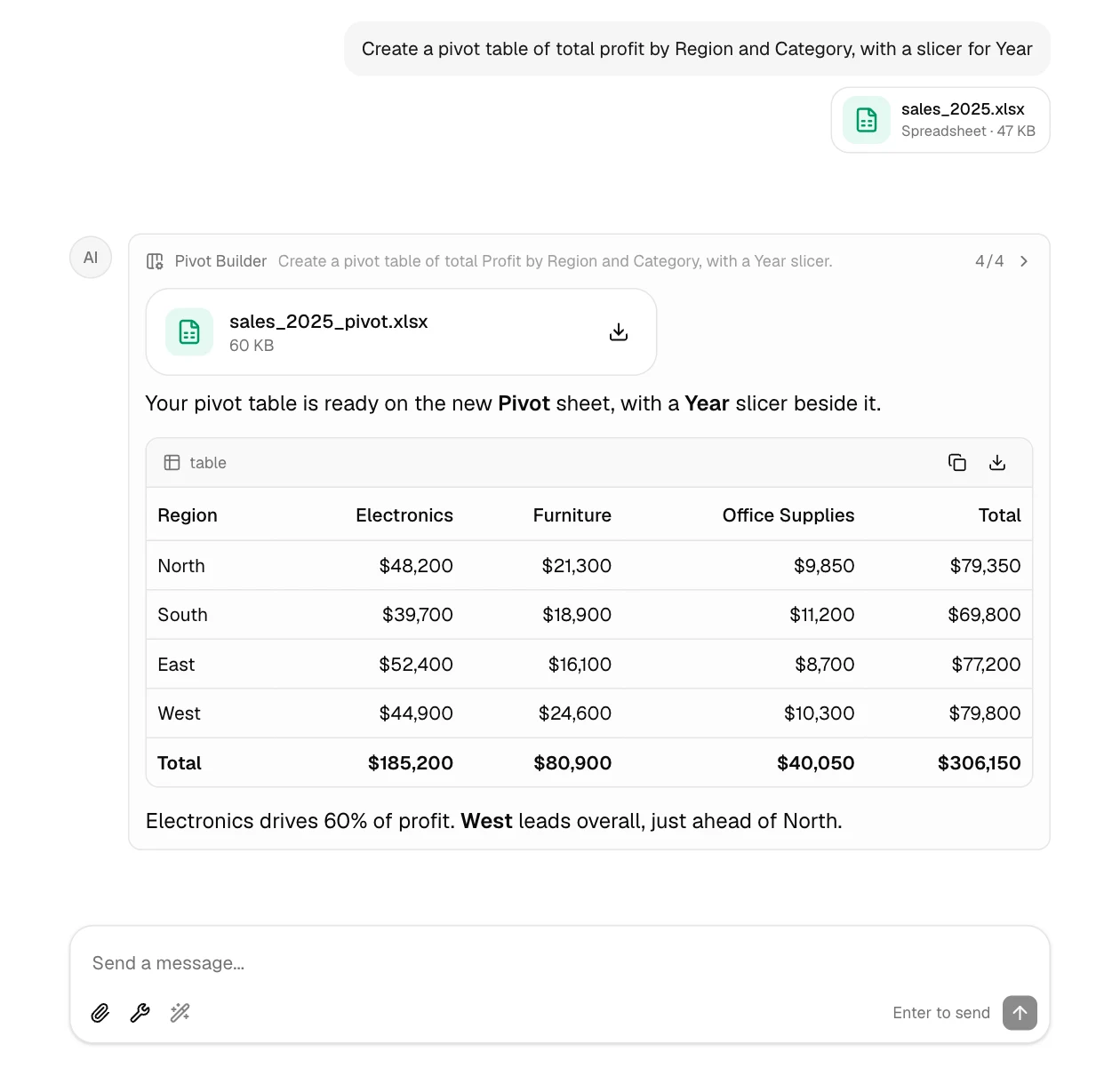
Create a pivot table of total Profit with Region as rows and Category as columns.
Add a slicer for Year and a clustered column pivot chart next to it.
Download the workbook
Pivot Builder shows its progress as it works, then GPTExcel hands you the updated workbook as a download and summarizes what it built:
Tips
- Name the fields exactly as your column headers are spelled. If you're not sure how to lay the pivot out, describe the question you're trying to answer and GPTExcel will suggest a layout.
- Say where it goes if it matters, for example "on a new sheet called Summary".
- One slicer for several pivots: ask for the pivots first, then "add one Region slicer connected to all three".
- Timelines need real dates. If your dates are stored as text, ask GPTExcel to convert them first.
Where the file opens
The pivot objects are native Excel features, so open the downloaded workbook in Microsoft Excel to use them fully.
New and preview functions
How Chat answers about Excel and Google Sheets functions released after the AI was trained, what "preview" means, and why answers link their source.
Slide Deck Builder
Turn an Excel or CSV file into a presentation with native charts, then download it as an editable PowerPoint (.pptx) or a PDF.