
Getting Started
Sign in, upload a spreadsheet, and get your first answer from GPTExcel in a few minutes.
This guide takes you from signing in to your first answer. You'll need a modern browser (Chrome, Edge, Firefox or Safari) and, ideally, a spreadsheet you want answers from. An Excel file or a CSV both work.
Quick start
Sign in
Open the sign-in page and continue with Google, Microsoft, or your email address. With email, you get a sign-in link; there's no password to create. New accounts start on the free plan, with no credit card.
Attach a spreadsheet
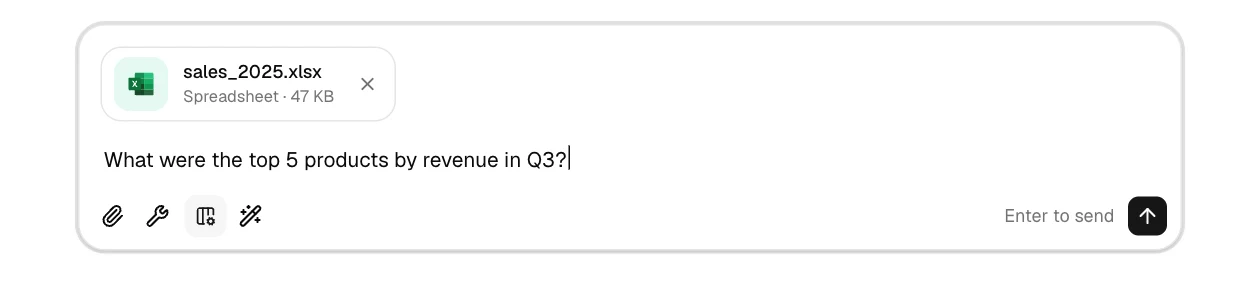
In the chat, click the paperclip and pick your file. You can also drag the file onto the chat or paste it. You can attach up to 5 files per message.
The size limit depends on your plan: 5 MB per file on Free, 50 MB on Pro and 100 MB on Pro Plus. See file uploads for every supported format.
Ask a question
Type your question as you'd ask a colleague and press Enter:
Read the answer
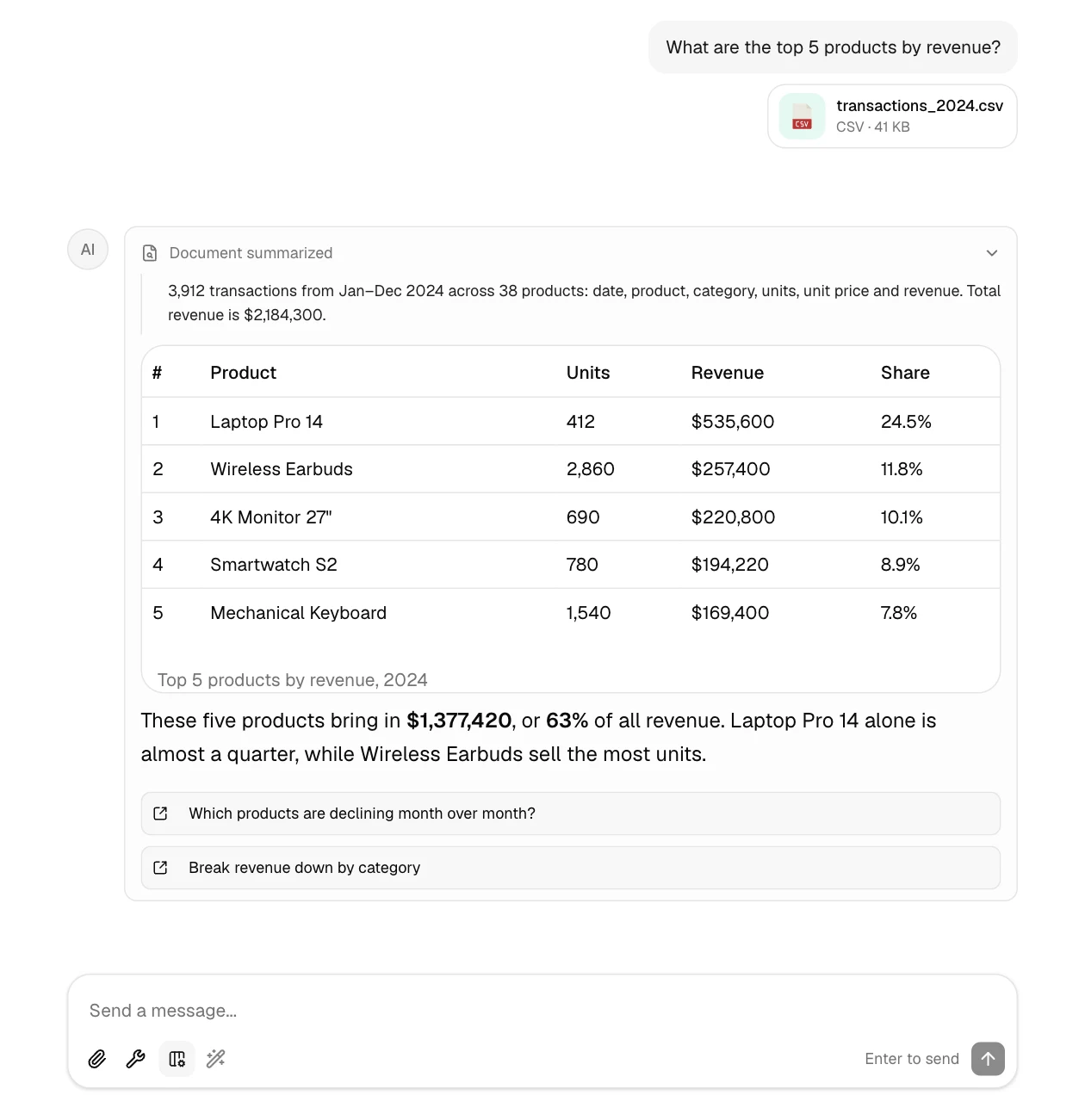
GPTExcel first reads your file to learn its structure, then answers. Depending on the question, the answer can include a table, a chart, a formula or a file to download:
Keep going
Every answer ends with a few suggested follow-up questions. Click one to send it, or type your own. The conversation keeps the context, so you can say things like "now only for 2025" or "chart that".
Example: asking for a formula
You don't need a file to get a formula. Describe what it should calculate:
Sum column B where column A is "Complete" and the date in column C is this monthGPTExcel returns something like:
=SUMIFS(B:B, A:A, "Complete", C:C, ">="&EOMONTH(TODAY(),-1)+1, C:C, "<="&EOMONTH(TODAY(),0))For formulas without a file, the Formulas tool is often quicker; see formula generation.
Tip
Mention column names or letters and sheet names when you know them. The more context you give, the less GPTExcel has to infer.
Next steps
- AI Chat guide: what Chat can do and how to prompt it
- Formula generation: generate, explain and optimize formulas
- Pivot Builder: native Excel pivot tables from a sentence
- Slide Deck Builder: a PowerPoint or PDF deck from your data
- File uploads: formats, limits and downloads
Documentation
How to use GPTExcel — chat with your spreadsheets, upload files, generate formulas, build pivot tables and slide decks, make charts, use the formula, script, SQL and regex tools, and share chats.
AI Chat
How GPTExcel's chat works, what its answers can contain, and how to write prompts that get the result you want.